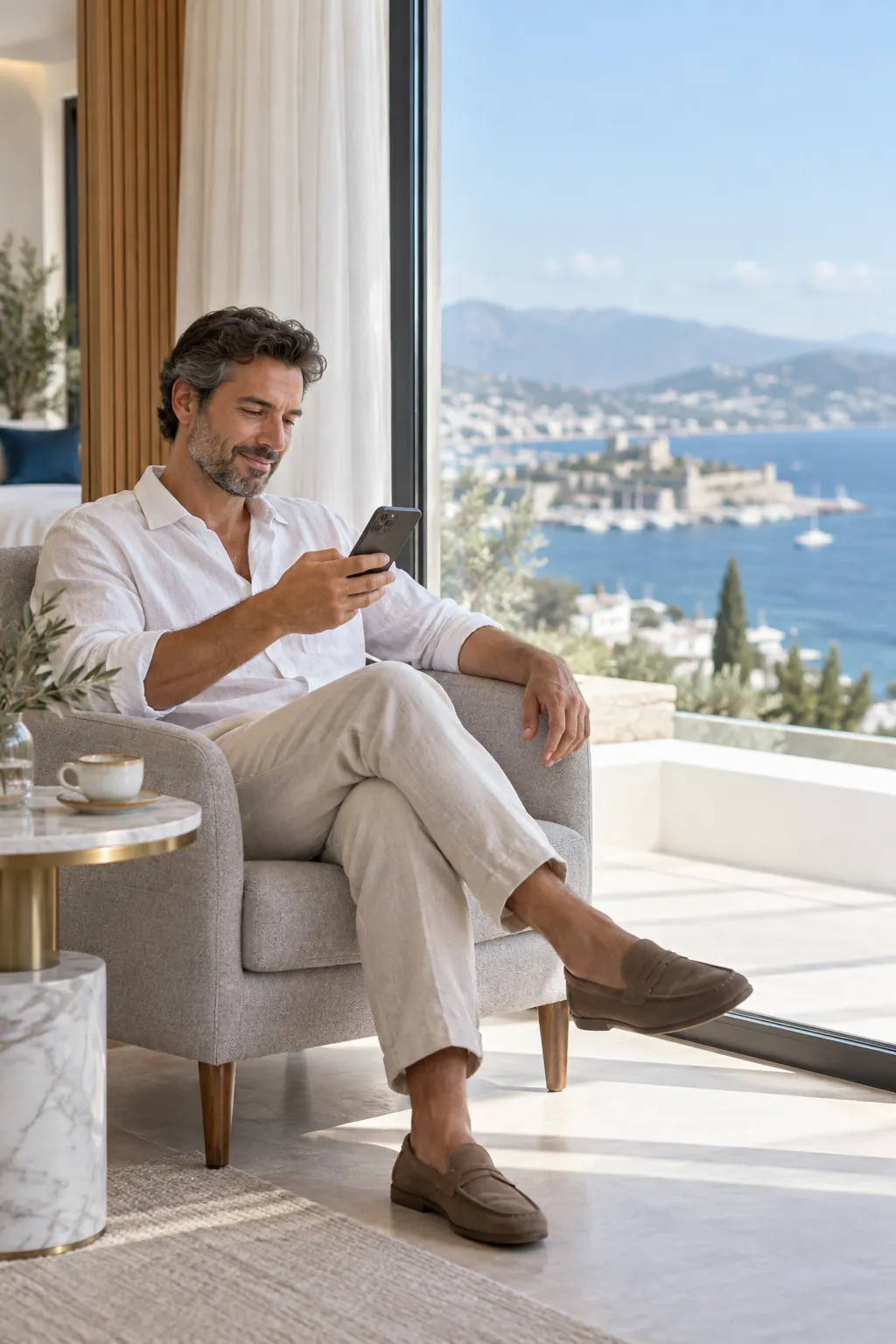
Every service of your hotel, in your guest’s pocket.
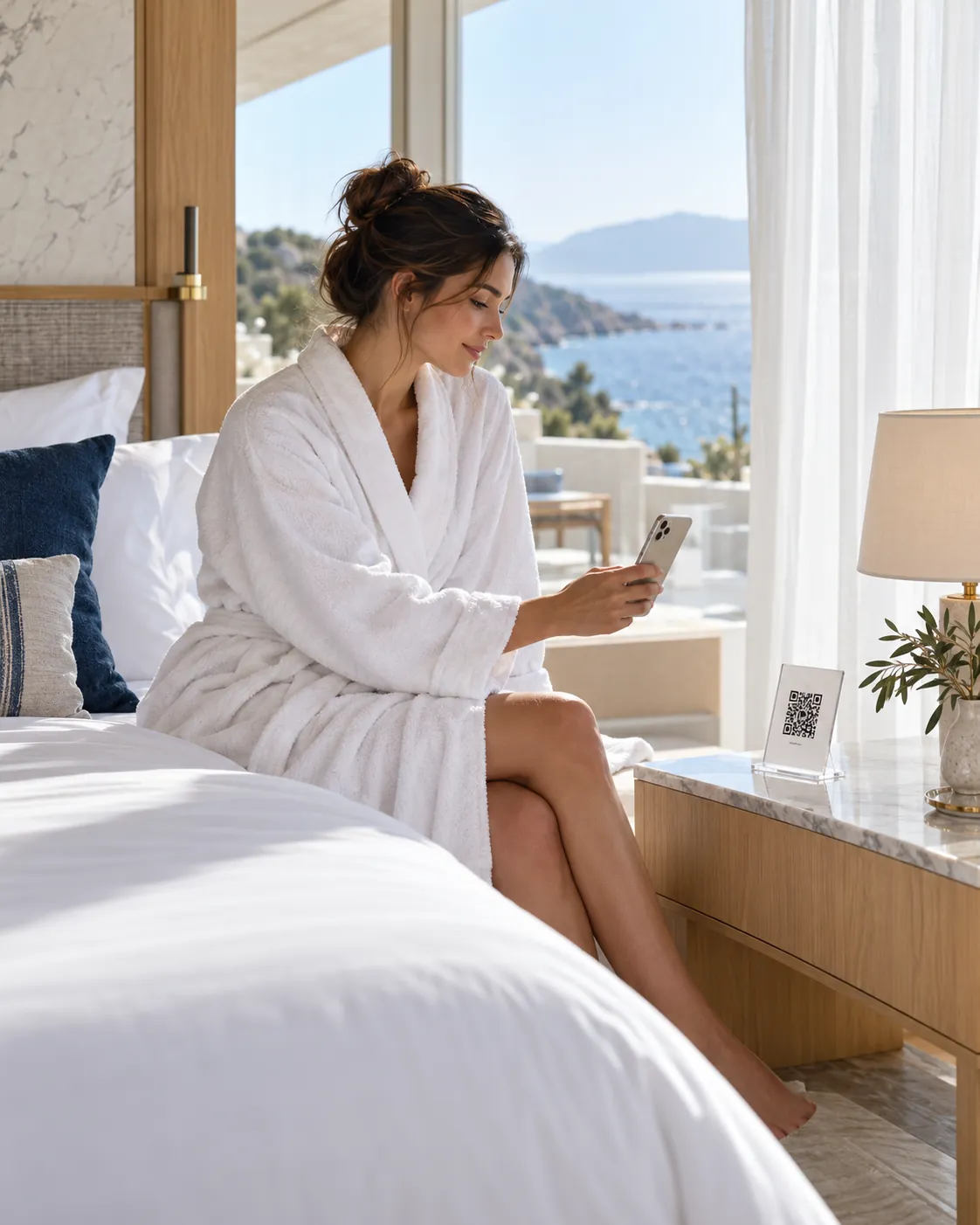
Guests scan the QR code or tap the NFC tag in their room. Without installing an app they order room service, ask for towels, pick a cleaning time or book the spa. Every request lands on the right department’s screen at once: your team takes it on, the guest follows it live, and you measure it all from one panel.
A guest experience and operations platform for hotels
Oquto lets hotel guests reach menus, room service, hotel services and the information they need through QR or NFC. Orders and service requests go digitally to the right department, the team handles them from one screen, and hotel management measures the whole operation.
Setup
No app for guests; the portal opens in the phone’s browser.
Entry points
Room, restaurant table, sunbed, shared area and general hotel QR codes; NFC tags.
Languages
Guest interface in Turkish, English, German, Russian and Arabic. We can also add new languages to suit your hotel’s guests.
Team
Department screens, instant alerts, assignment and target-time tracking.
Payment
Oquto takes no payments; orders are charged to the room or paid on delivery.
Modules
Each module is switched on or off per hotel; guests only see what is on.
Why Oquto
Simple answers to problems hotels face every day
The small hiccups that lower guest satisfaction and wear out the team usually start in the same places.
Problem
The front desk phone never stops ringing
Solution: Wi-Fi password, breakfast hours, extra towels… Guests find the answer and the service on their phone, and reception gets time back for the real work.
Problem
Requests get forgotten and nobody knows who is on it
Solution: Every request becomes a tracked job for the right department. Who took it and when it was done is visible; late work flags itself with an alert.
Problem
Printed menus age and every change means a reprint
Solution: Products, prices and sold-out items are updated from the panel at once. Guests always see the current menu.
Problem
Language barriers with international guests
Solution: The guest screens work in five languages and open in the phone’s language. You publish menus and content in the languages your hotel chooses. We can also add new languages to suit your hotel’s guests.
Problem
Extra services never reach the guest
Solution: Spa, late check-out, transfers and restaurant bookings sit on the guest’s home screen. Guests see them without asking and request them in a few taps.
Problem
You cannot measure what works and what is slow
Solution: Orders, requests, response and completion times, busy hours and guest ratings in one panel; reports download as PDF or Excel.
How it works
From a QR scan to finished work in four steps
01
The guest scans
They scan the QR code or tap the NFC tag in the room, at the table or on the sunbed with the phone camera. The portal opens knowing where the guest is.
02
Chooses and sends
They order from the menu or send a request in a few taps. When needed, they confirm with the surname registered at check-in or a PIN.
03
The right team gets it
The order reaches the kitchen, the towels housekeeping, the car request the valet, at once. The team takes the job or assigns it to someone.
04
Follows and rates
The guest sees the status live and can message the hotel. When the work is done they rate it; a low rating alerts the manager at once.
Live demo
Try the guest portal yourself
Order room service, ask for towels or the spa, change the language. Every action lands on the hotel panel beside it at once.
Try these in the demo
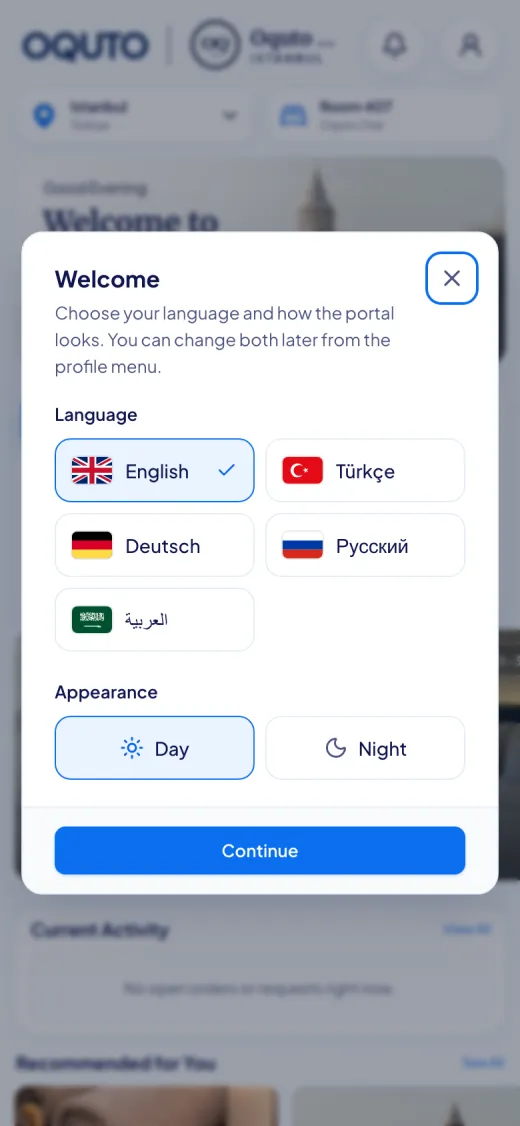
1Change the languageTap the profile icon and pick a flag; the whole phone switches to that language. Day and night looks are there too.
2Order room servicePick a product from room service, add it to the cart, choose how to pay and place the order.
3Follow the orderReceived, accepted, being prepared, on the way… The steps move on live and appear on the venue dashboard.
4Send a requestAsk for towels, room cleaning, the spa or valet; the request lands on the panel beside it at once.
The screen is fully interactive
14:32
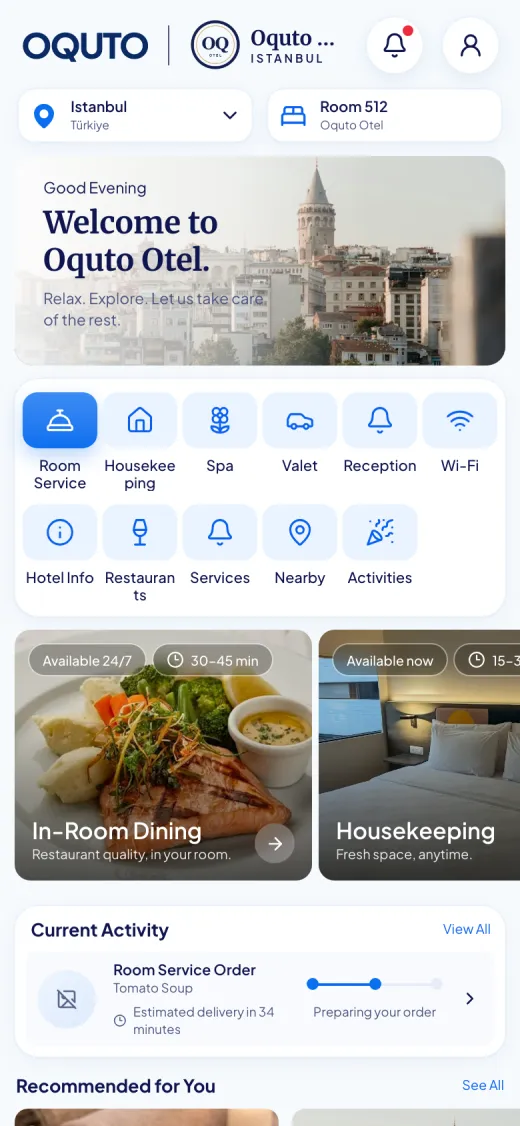
OQUTOOQOquto OtelIstanbul
IstanbulTürkiyeRoom 512Oquto Otel
Welcome
Welcome to
Oquto Otel.
Relax. Explore. Let us take care of the rest.
Current Activity
View All
No open orders or requests right now.
Recommended for You
Venue dashboard
Every action on the phone lands here instantly.
Live
New requestjust nowRoom 304 · Extra towels
New order to kitchenjust nowRoom 214 · 2 × Homemade lemonade
01
For your guests
The hotel in your guest’s pocket
The guest portal is your hotel’s digital welcome screen. It opens on the guest’s own phone, in their language, with no app to install, and shows only the services you switch on.
9:41
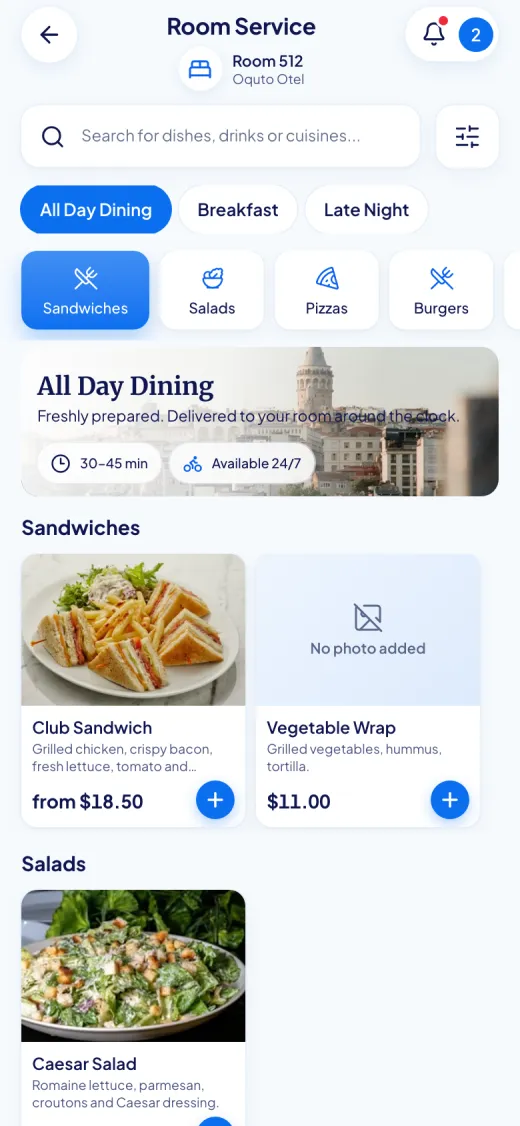
Room service and restaurant menus
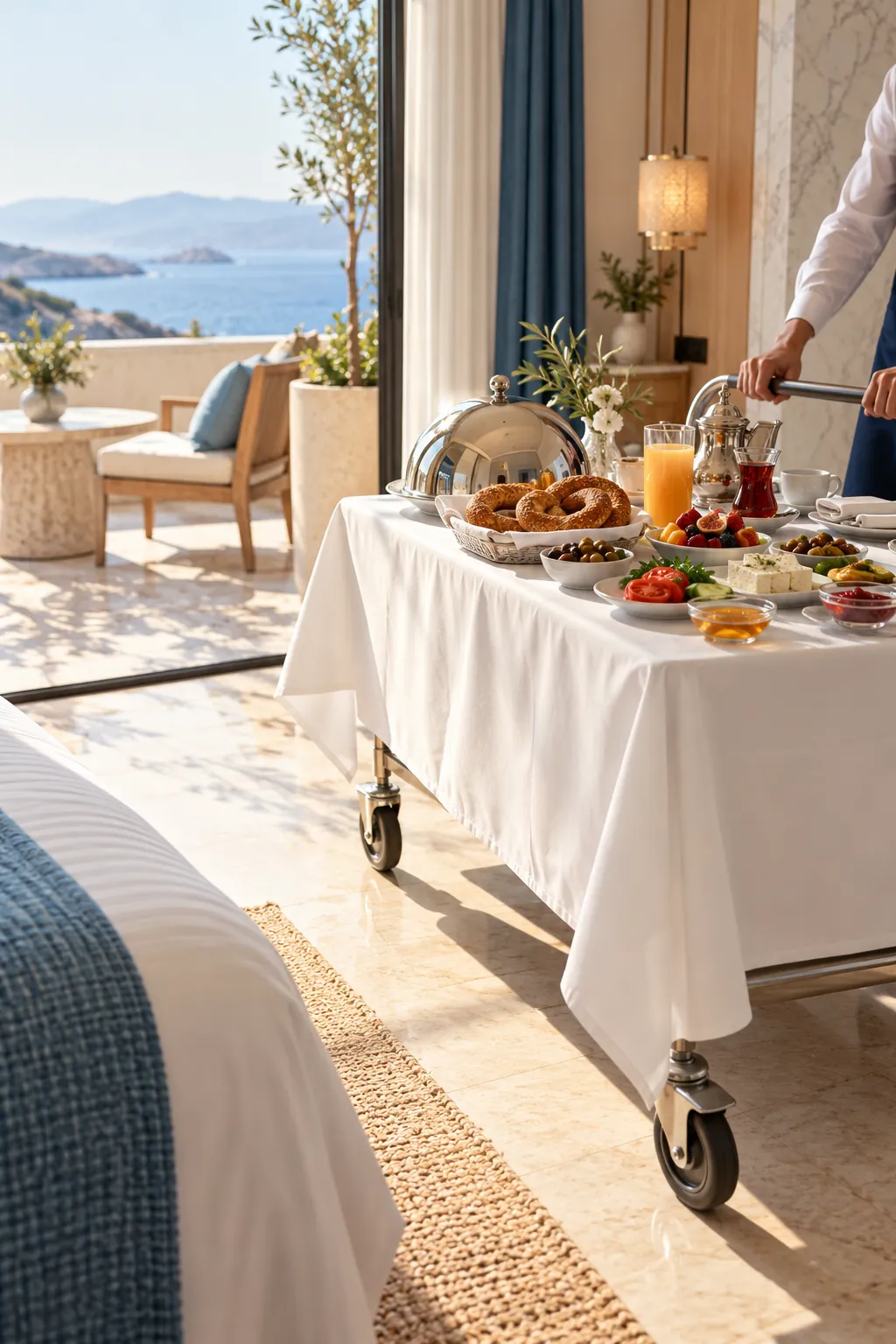
Room service, restaurant, lobby bar, pool bar… Each outlet has its own menu, opening hours and delivery time. Guests choose from a menu with photos, set the size and extras, and add a note.
Breakfast, all-day and late-night menus open by themselves by time and day
Sizes, extras and cooking options; allergen and dietary information
Sold-out and “kitchen busy / not taking orders” in one tap
Ordering ahead: set breakfast the evening before
Payment choice: charge to the room or pay on delivery in cash or by card
9:41
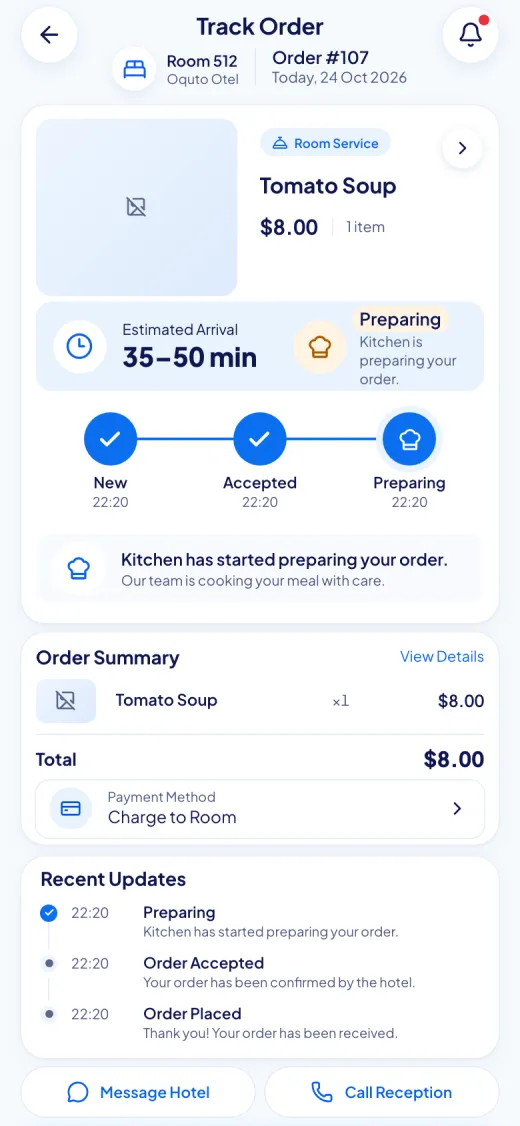
Order tracking and messaging the hotel
Guests see every step of their order: received, accepted, being prepared, on the way, delivered. If something changes, your team writes to the guest on the order itself, and the guest reaches the hotel from the same place.
Live status and estimated delivery time
Two-way messages on orders and requests
Notification centre and, with the guest’s permission, browser notifications
Edit or cancel an order before it is accepted
9:41
Service requests and housekeeping
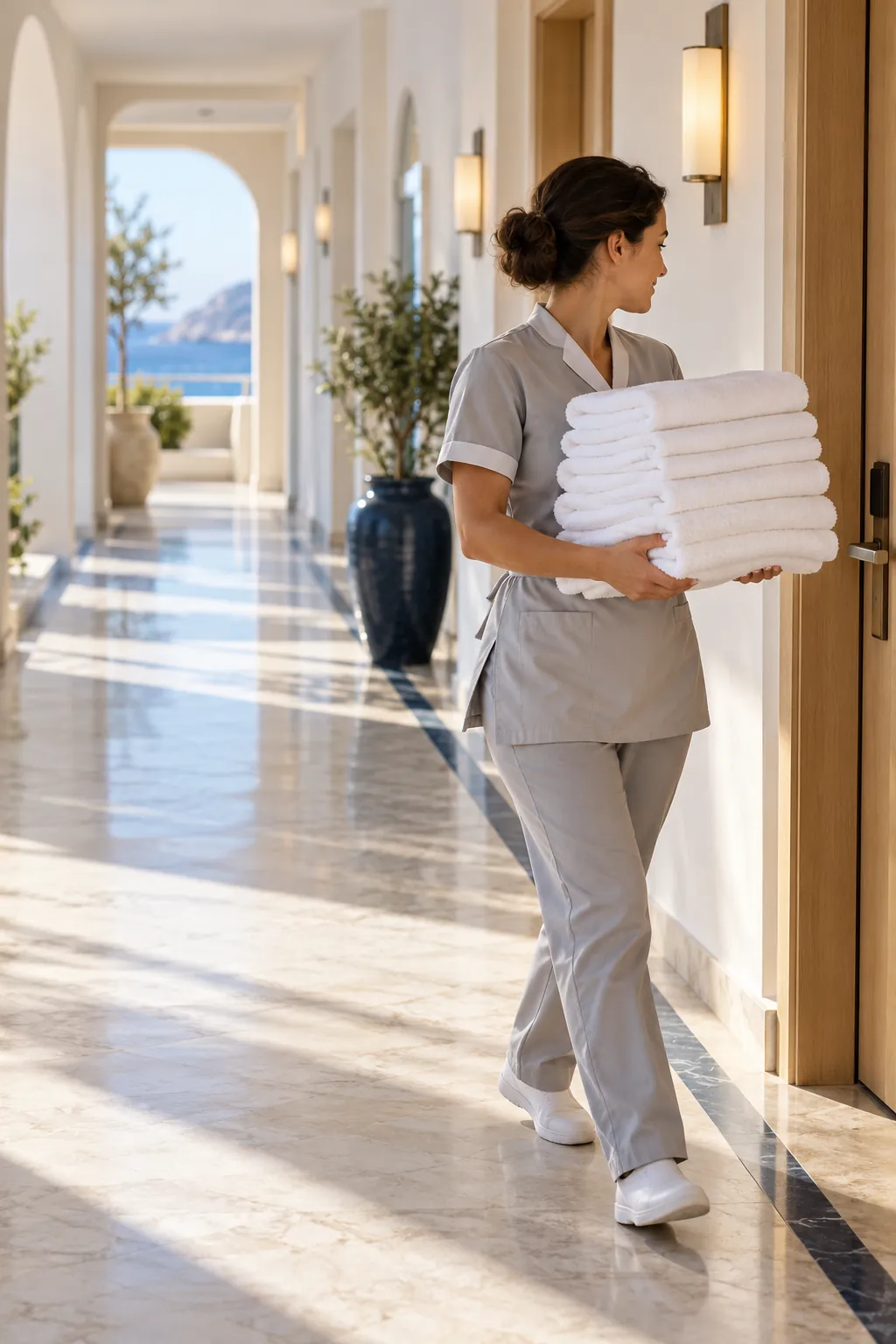
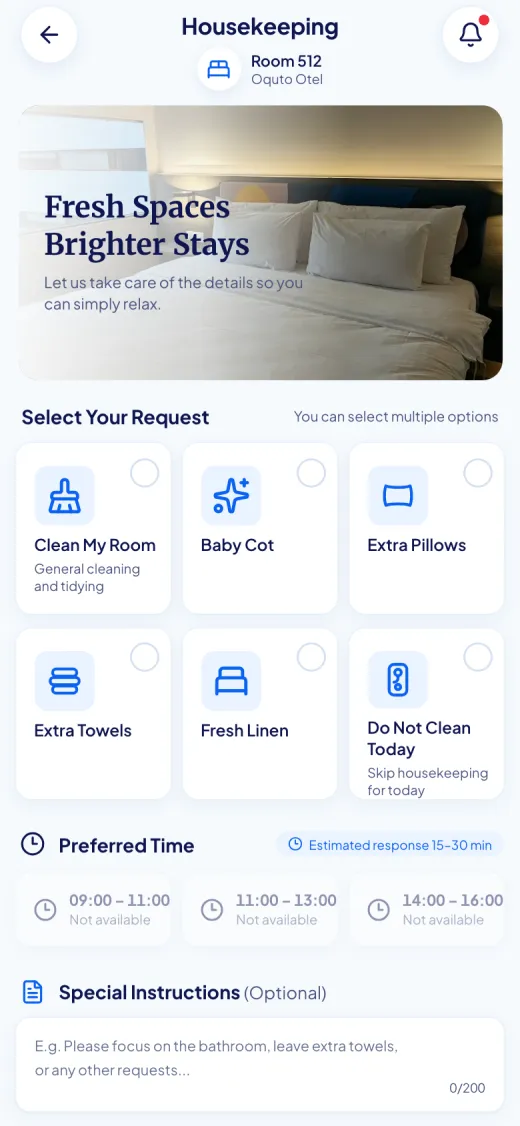
Towels, pillows, bed linen, ironing, laundry, minibar, a technical fault… Guests choose what they need, fill in a short form if required, and the request goes straight to the right department.
Room cleaning: now, in a chosen time slot, or “Do not clean today”
Define your own services and questions with the form builder
Opening hours, an approval step and after-hours routing per service
Protection against the same request being sent again and again
9:41
Spa, valet, activities and reservations
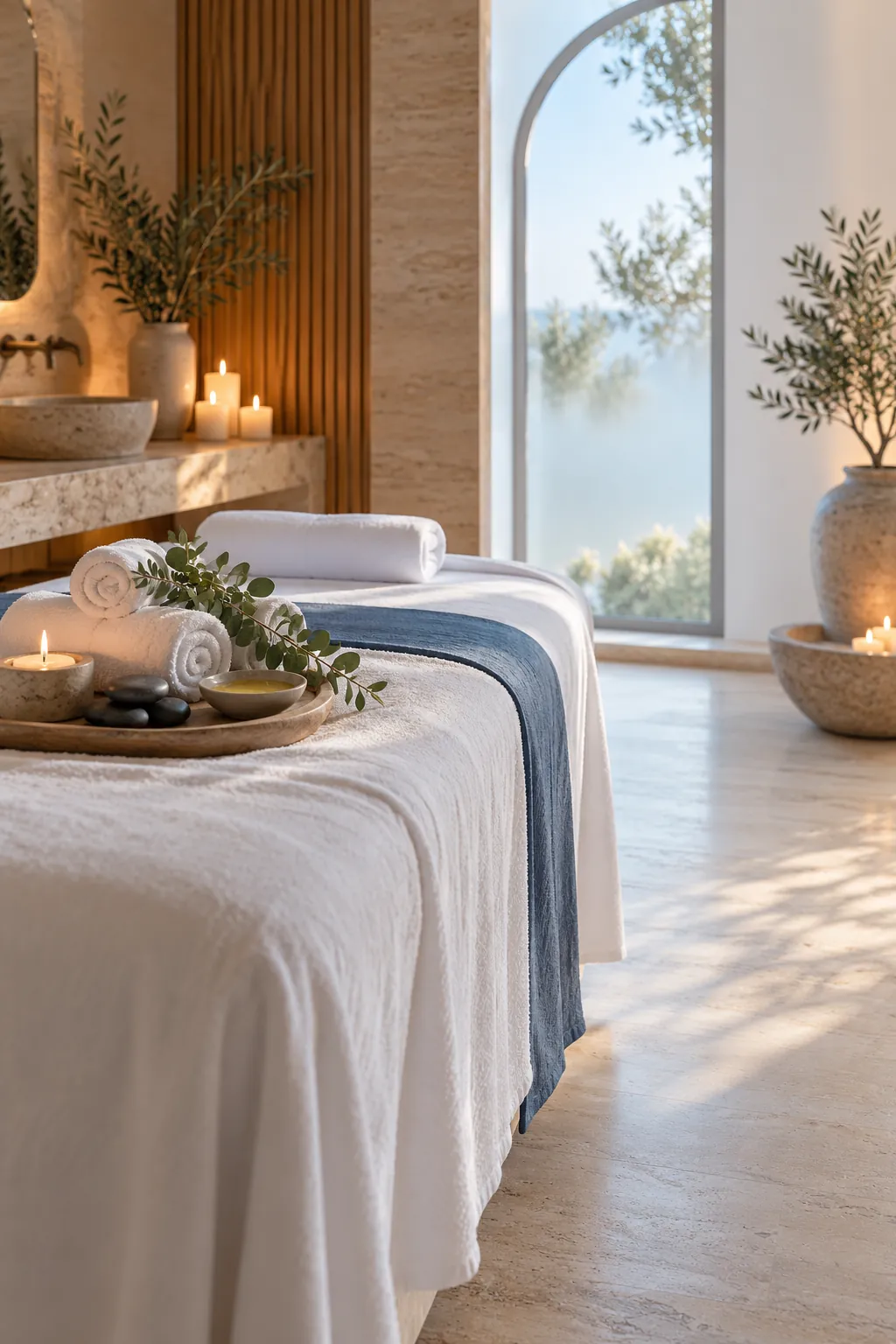
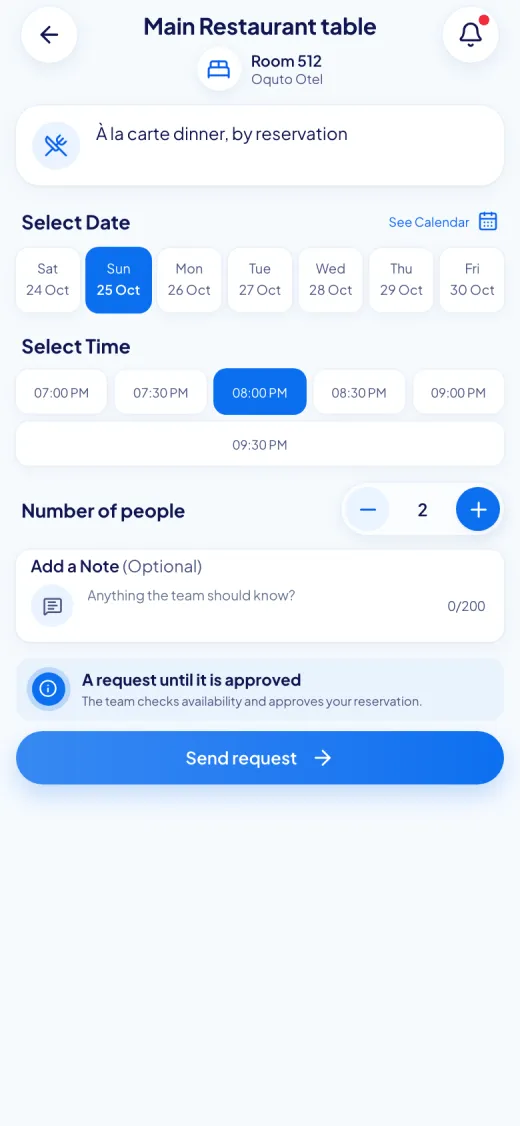
Guests request a spa treatment with the date, time and number of people; your team confirms. They tell the valet when they want the car. Restaurant tables and activities are booked just as easily.
Spa requests: treatment, date, time and party size, confirmed by your team
Valet: the car at the door at the requested time
Restaurant table and activity bookings; no-show tracking and a cancellation cut-off
Spa calendar and staff assignment on the team side
Add-onInstant reservations: places up to capacity, confirmed without waiting for approval
9:41
Hotel information, Wi-Fi and the neighbourhood
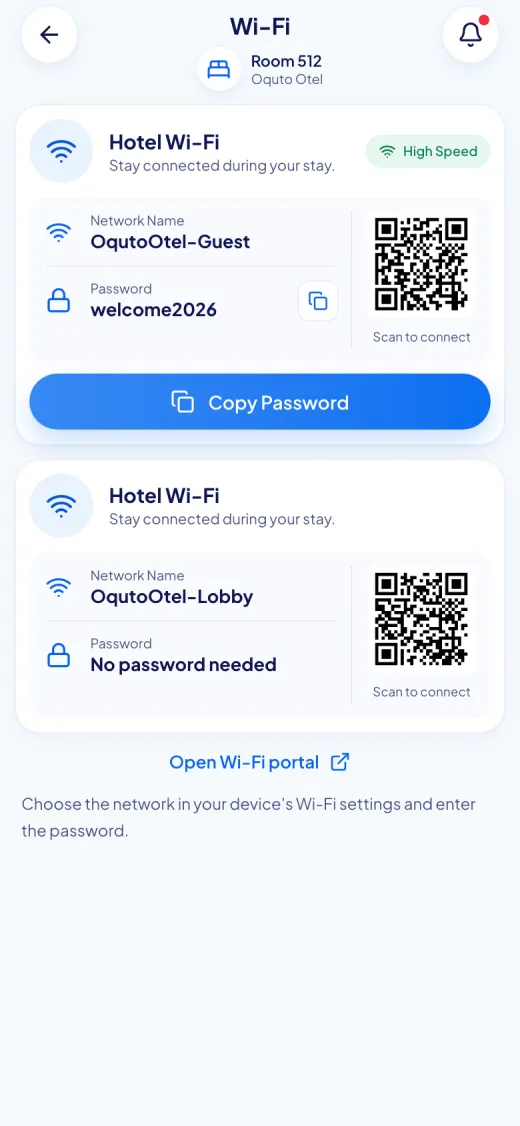
What guests ask most is always at hand: the Wi-Fi network and password, hotel hours and rules, important phone numbers, nearby restaurants, sights and transport.
Copy the Wi-Fi password in one tap or connect with the Wi-Fi QR code
Room-specific Wi-Fi details
Your own sections for hotel information and frequently asked questions
Call reception in one tap or send a written request
Nearby places with category, distance and map link
9:41
Every guest in their own language
On first opening, the portal asks the guest for their language and a day or night look. The interface works in Turkish, English, German, Russian and Arabic, with Arabic shown right to left. You publish menus and content in the languages active at your hotel. We can also add new languages to suit your hotel’s guests.
Opens in the phone’s language automatically
Missing translations show in the hotel’s default language, and the panel warns you
Day and night themes
Add-onAI translation drafts: fills in the other languages, you review and save
Feedback and reviews
When the work is done, guests rate their experience. A low rating alerts the manager at once, so you can fix the problem before the guest leaves. The thank-you screen can show your page on Google, Tripadvisor or a review site of your choice.
Notifications
Guests hear when the order is on its way, the request is done or the hotel has written. Browser notifications are switched on only with the guest’s permission.
Recommendations from your hotel
Feature the spa package, the restaurant or tonight’s event on the guest’s home screen. You choose which cards appear.
Every corner of the hotel
The right QR code for every spot
Wherever the guest scans, the portal opens accordingly: room service in the room, the pool bar menu at the sunbed.
Room
The room QR code knows the room number; orders and requests go straight to that room.
Restaurant table
The menu opens at the table, and orders arrive knowing which table they came from.
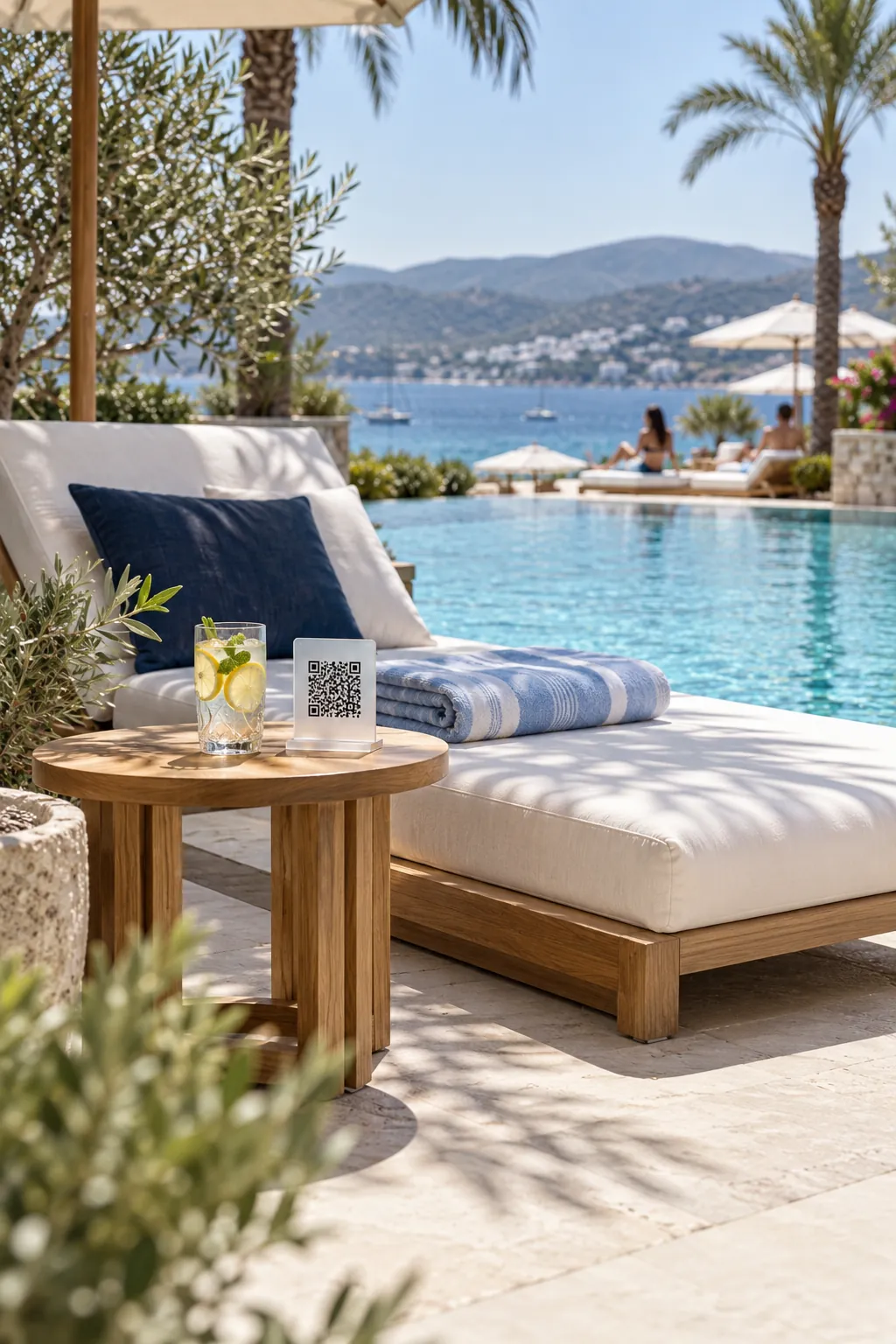
Pool and beach sunbeds
Order from the sunbed; the service team knows where to go.
Lobby, bar and shared areas
A shared-area QR code opens that outlet’s menu.
General hotel QR code
Lift, brochure, welcome card: one way in to hotel information and services.
NFC tag
A tap of the phone is enough; the same link and the same security as the QR code.
02
For your team
The right job, to the right person, on time
The staff console is each department’s own work screen. It opens in the browser on a computer, tablet or phone; nothing to install.
Room 512Extra towelsNew
Room 304Room cleaningNew
Room 118Air conditioning faultNew
Sunbed 12LemonadeNew
Room 207Valet, 18:30New
Room 512Extra towelsNew
Room 304Room cleaningNew
Room 118Air conditioning faultNew
Sunbed 12LemonadeNew
Room 207Valet, 18:30New
Department screens
Kitchen, housekeeping, maintenance, reception, spa, valet, laundry… Everyone sees only their own work, and new jobs appear on screen instantly.
NewNew
AssignedAssigned
In progressIn progress
CompletedCompleted
Assignment and status tracking
A job is taken on or assigned to someone and moves forward step by step. The team’s internal notes are never shown to guests.
Target 15 min
Late · manager notified
Target times and late alerts
You set a target time for each service. Work past its target is flagged to the team first, then to the manager. Requests outside working hours go to another department or wait for opening, as you choose.
MonTueWedThuFriSatSun
Ayşe
Can
Elif
Mert
On leave
Shifts and leave
Shift templates, a weekly roster, leave requests with approval and a public holiday calendar. Assignment suggestions skip staff who are off shift or on leave, and the team view shows who is online.
Add-on
Table 7Sample view
2 × Lentil soup₺280
1 × Sea bass₺950
1 × Künefe₺320
Total₺1,550
Close the bill
The bill is for information and is not a fiscal receipt.
Waiter screen and table bill
The waiter takes the order at the table on their own phone; it joins the orders the guest placed with the table QR code on the same bill. When the table closes, the bill is printed.
Wall display
A live board of orders and requests on the TV in the kitchen or the housekeeping office.
03
For management
Measure, manage, grow
The pulse of the hotel in one panel: from late work to the day’s takings, from the most requested service to the guest rating.
Late requests2
Open orders7
Active stays64
Average completion18 min
Sample view
Management panel
Late orders and requests, open work, department load, active stays, the day’s orders and their value. Each user arranges the panel their own way.
PDF
Excel
CSV
Reports
Download panel, operations, analytics and feedback reports as PDF, Excel or CSV.
DraftDraft
PreviewPreview
PublishedPublished
Menu and content management
Prepare changes as a draft, preview them, publish after approval if you wish, and roll back to an earlier version. Import menus from Excel or CSV.
Mon
Tue
Wed
Thu
Fri
Sat
Sun
QuietBusy
Heat map and analytics
Which products sell, which services are requested most, how fast teams respond? The day-and-hour heat map shows quiet hours for promotions and busy hours for staffing.
QR and NFC management
Generate and print QR codes for rooms, tables, sunbeds and shared areas in bulk. If a code is lost or copied, invalidate it in one click and print a new one.
Your brand, your address
Logo, colour palette, day and night themes and welcome images are yours. The portal opens at an address of your hotel; connect your own domain if you like.
Roles and permissions
Departments, roles and permissions per person. You decide who sees what and who can change it.
Security and privacy
Guests are asked only for what is needed; staff see only what they are permitted to.
Two-step sign-in for administrators
Every important action in the audit log
Each hotel’s data kept apart from the others
Guest sessions end at check-out
04
Revenue and efficiency
Where does it add to revenue?
We do not promise you figures; we show where extra revenue and savings come from. You measure the effect in your own panel, with your own data.
Brings in revenue
Room service one tap away
No more hassle of ordering by phone, no language barrier. Choosing from a menu with photos is easy, and guests order whenever they like.
Extras inside the order
A larger size, an extra topping, a drink on the side… Options come with the product and guests add them themselves.
Ready-made upsell templates
Late check-out, early check-in, airport transfer, spa package, celebration surprise: live in minutes, with priced options.
What guests see, they buy
Spa, restaurant and events sit on the guest’s home screen; booking takes a few taps on the phone.
Make use of quiet hours
The heat map shows which hours stay empty, so you can plan promotions for them.
Cuts workload and cost
No reprints
When a price or product changes, the menu is updated from the panel; printing costs for menus and brochures go down.
Fewer calls to reception
Passwords, opening hours and simple requests come through the portal, so the team spends its time with guests face to face.
Forgotten work does not turn into complaints
Every request is tracked and timed. Late work is noticed in time, and a low rating reaches the manager the same day.
05
Modular by design
Switch on what you need, hide the rest
You decide which modules are on; guests only see those. Start with room service and service requests, for example, and add the spa or reservations later.
Modules on the platform
Guest portal
Digital menu
Room service and ordering
Table and sunbed ordering
Service requests
Housekeeping
Spa and valet requests
Restaurant and activity bookings
Reception
Wi-Fi
Hotel information
Nearby places
Messages and notifications
Feedback
Target times and alerts
Shifts and leave
Analytics and reports
QR and NFC management
Roles and audit log
Add-ons
Instant reservations
Capacity per time slot; the guest’s booking is confirmed without waiting for approval.
Waiter screen and table bill
Waiters take orders at the table, and each table has its bill.
AI translation
Drafts your content in the other languages; you review and save.
Your own domain
The guest portal opens on your hotel’s own domain.
Getting started
How it comes to life at your hotel
01
Introduction
We talk through your hotel, your departments and which modules you need.
02
Setup
We import your rooms and tables from a list and set up your menus, services and brand together.
03
QR and NFC
Your QR codes are prepared in bulk and placed in rooms, on tables and at sunbeds.
04
Training and launch
Your team learns its own screen; the system works from the moment a guest scans the first code.
06
Frequently asked
What hotels ask us most
Do guests need to download an app?
No. Guests scan the QR code or tap the NFC tag with their phone, and the portal opens in the phone’s browser. No app store, account or password is needed.
Which languages are supported?
The guest interface is available in Turkish, English, German, Russian and Arabic; Arabic is shown right to left. You enter menus and content in the languages active at your hotel; content without a translation is shown in the hotel’s default language. We can also add new languages to suit your hotel’s guests.
Could someone else order using the room’s QR code?
For orders and personal information, guests confirm with the surname registered at check-in or a PIN. You choose how often this is asked, and you can skip it for guests on the hotel Wi-Fi. When a guest checks out, that room’s sessions end, and a QR code can be renewed in one click if needed.
Does Oquto take payments or charge commission?
No. The guest chooses how to pay when ordering: charge to the room, or cash or card on delivery. Collection and posting to the room account happen in the hotel’s own process; Oquto takes no commission on orders.
Does it connect to our PMS or POS?
Today Oquto works on its own, without a PMS or POS connection: stays are entered in the panel and payment is collected in the hotel’s own system. The platform was built so that stays can be synchronised with systems such as Opera, Protel or Elektra in the future.
Do we decide which modules to use?
Yes. Modules are switched on or off per hotel, and guests only see the ones that are on. You can start with room service and service requests and add the spa, reservations or the waiter screen later.
How long does setup take, and does the team need training?
It depends on the number of rooms and how ready your menus and services are. We can import your rooms, tables and menus from an Excel or CSV list. The screens are simple, so the team starts after a short introduction.
How is guests’ personal data protected?
Guests are asked only for what the service needs; the surname registered at check-in or a PIN is enough to confirm. Each hotel’s data is kept apart from the others, staff see only what they are permitted to, and important actions are recorded in the audit log.
How is pricing set?
The fee depends on your number of rooms and the modules you choose. We listen to your needs and prepare an offer for you.
Let’s see together how it would work at your hotel
We will give you a tailored walkthrough and choose the modules you need together.